What Is AI-Powered Enterprise Search?
AI-powered enterprise search indexes everything your organization creates — documents, Slack messages, tickets, emails, wiki pages, CRM records, code — and uses AI to return useful answers when someone asks a question in plain language.
Traditional search matches keywords. Type "return policy" and it finds pages with those exact words. AI-powered search understands intent. Ask "what's our return policy for enterprise contracts" and it finds the right document even if those exact words don't appear anywhere in it. This shift in how AI delivers answers has significant implications for how businesses own and manage their knowledge.
| Web Search | Native App Search | AI Enterprise Search | |
|---|---|---|---|
| Data scope | Public internet | One app only | All connected apps |
| Permissions | Public content | App-level | Per-user, real-time |
| What you get | Links to pages | List of results | A direct answer |
| Context | None | None | Cross-app context |
The best platforms also use retrieval-augmented generation (RAG): they pull relevant content from your data and use it to generate a synthesized answer, not just a pointer to a document. For a broader look at how AI is reshaping business operations, see our AI statistics overview.
Why Enterprise Search Fails Without AI
The average company uses 130+ SaaS tools. Each stores data in its own format, with its own access model and its own search bar. An engineer looking for a past architecture decision might need to check Confluence, Slack, Jira, Google Drive, and GitHub — in sequence — before finding the answer.
AI tools are making it worse, not better. Every SaaS vendor now ships its own AI assistant: Slack AI, Notion AI, Salesforce Einstein, Microsoft Copilot. Each searches only within its own walls. So instead of solving fragmentation, enterprises now have ten AI assistants giving different answers to the same question.
The real costs add up quickly across your organization:
- 166 hours per employee per year lost to search friction
- 79% of employees dissatisfied with internal search
- Duplicate work: teams recreate research that already exists somewhere
- Slow onboarding: new hires spend weeks asking questions that have written answers no one can locate
- Compliance exposure: outdated documents surface alongside current policy
What to Look for in a Platform
Before you talk to a vendor, run through this checklist. Any serious platform should handle all of these:
- Semantic search — understands what you mean, not just the words you typed
- Permission-aware indexing — each user sees only what they're authorized to access, enforced at query time
- Integration breadth — native connectors for your actual stack (Slack, Google Drive, Salesforce, Jira, Confluence, GitHub)
- Generative AI answers — synthesizes a response from multiple sources rather than returning a list of links
- Agentic capability — can it take action, not just find information? (file a ticket, draft a doc, trigger a workflow)
- Security and compliance — SOC 2 Type II at minimum; GDPR, HIPAA, or FedRAMP if your industry requires it
- Deployment timeline — days (GoSearch) to 12 weeks (Glean deep indexing); know what you're committing to
- Search analytics — what are employees searching for and not finding?
- Pricing clarity — does the vendor publish pricing, or is it custom-quote only?
- Governance — when the AI gives a wrong answer, who flags it, corrects it, and is accountable?
| Tool | Best For | Key Strength | Pricing | Deployment |
|---|---|---|---|---|
| Glean | Best overall | 100+ integrations, agentic AI | Custom (500+ seats) | 6–12 weeks |
| Microsoft 365 Copilot | Microsoft-first orgs | Deep M365 integration | $30/user/mo | Days |
| Guru | Governed knowledge base | Verified answer cards | From $15/user/mo | 1–2 weeks |
| Coveo | Customer support + CRM | 56% faster support resolution | Custom | 4–8 weeks |
| Elastic | Engineering / custom infra | Vector search, open ecosystem | From $95/mo | Varies |
| GoSearch | Fast mid-market deployment | URL shortcuts + AI search | From $8/user/mo | Days |
| Lucidworks Fusion | Regulated industries | On-prem, ML relevance | Custom | 8–16 weeks |
| Google Agentspace | Google Workspace orgs | Gemini AI, native GWS | Custom | Days–weeks |
| IBM Watson Discovery | Document-heavy compliance | NLP document understanding | Custom | 6–12 weeks |
| Moveworks | IT/HR automation | Agentic ticket resolution | Custom | 4–8 weeks |
The 10 Tools, Reviewed
1. Glean — Best Overall
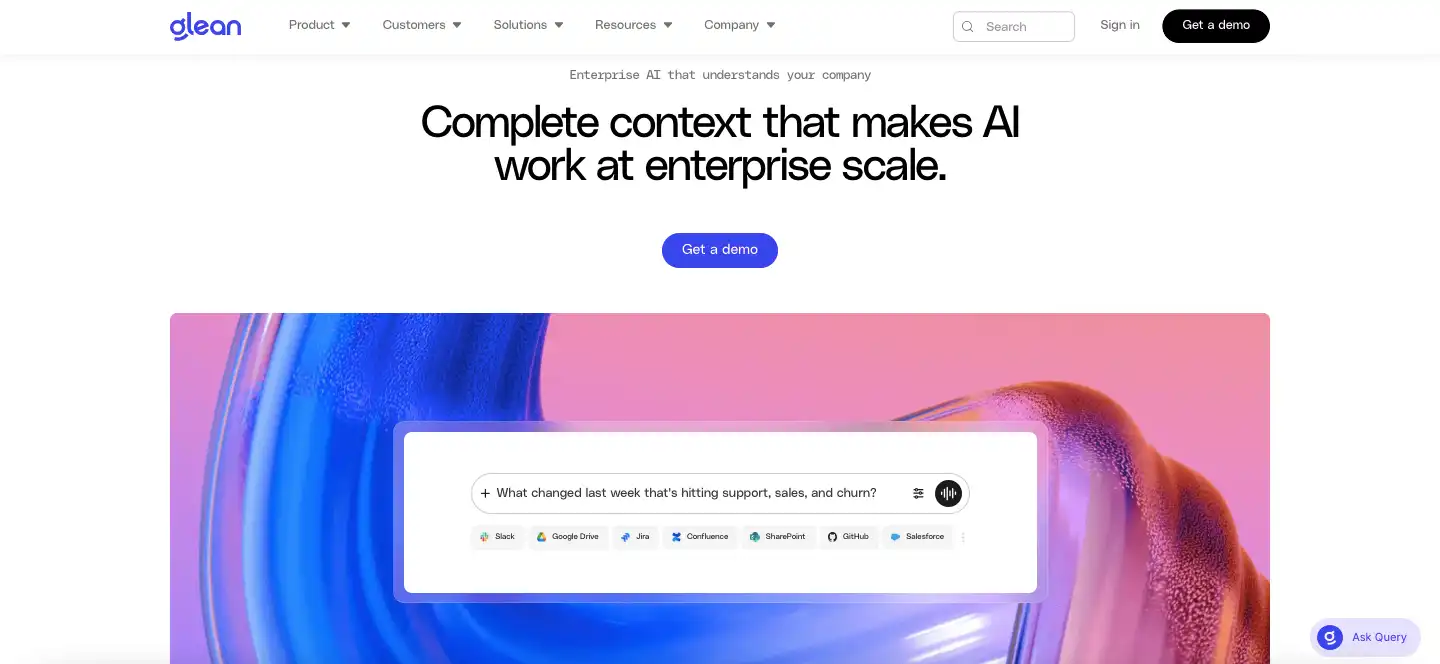
Glean was built by ex-Google engineers for large enterprises. It connects to 100+ applications, indexes everything with per-user permission awareness, and returns synthesized answers from across your entire knowledge base. Used by Databricks, Duolingo, and Okta, it has grown past $200M ARR.
What separates Glean from most competitors is what it does beyond search. Its Glean Apps platform lets teams build custom AI assistants grounded in company data: an onboarding bot, a sales enablement tool, a support agent. That moves it into genuinely agentic territory.
Some of its standout features are
- 100+ native integrations (Slack, Google Workspace, Confluence, Jira, Salesforce, GitHub, Zendesk)
- Permission-aware results enforced at query time
- RAG-powered answers across multiple sources
- No-code AI agents via Glean Apps
- Strong search analytics dashboard
This platform is best for
- Large enterprises with 500+ employees across 10+ SaaS tools
- Engineering, sales, HR, and IT teams
- Organizations prioritizing verified, independent ROI
A Forrester Total Economic Impact study found 141% ROI for a 10,000-employee organization and $2–5M in annual savings. Super.com saw 20% faster onboarding; Pure Storage gained a 39-point jump in employee satisfaction; Databricks engineers save roughly an hour a day. For more on AI ROI in business, see our statistics roundup.
Pricing: Custom. Industry estimates suggest $20–40/user/month at mid-market scale; large enterprise contracts often exceed $500K/year. 500-seat minimum. Full deployment takes 6–12 weeks.
2. Microsoft 365 Copilot — Best for Microsoft-First Organizations
If your company runs on Microsoft 365, Copilot is the path of least resistance. It draws on the Microsoft Graph — a knowledge map of everything in your M365 tenant — combined with OpenAI's models, to surface documents, emails, meeting notes, and chats through natural language search in Teams and SharePoint.
Some of its standout features are
- Deep Microsoft Graph integration across all M365 apps
- Natural language search in Teams and SharePoint
- Familiar interface for existing Microsoft users
- No additional infrastructure required for M365 tenants
It is best for
- Organizations already standardized on Microsoft 365
- Teams wanting minimal change management overhead
- Companies with E3/E5 licenses looking for bundled AI search
The limitation is the walls. Copilot is excellent within the Microsoft ecosystem and genuinely weak outside it. It doesn't connect to Slack, Salesforce, or Jira at any depth.
Pricing: $30/user/month on top of an M365 E3 or E5 license. Deployment: days for existing customers.
3. Guru — Best for Governed Knowledge Management
Guru takes a different approach. Rather than indexing everything and hoping the AI surfaces the right answer, it asks teams to actively curate a knowledge base of verified, card-based answers. Each card has an owner, an expiration date, and a verification workflow. Employees searching get answers a subject-matter expert has signed off on.
Some of its standout features are
- Verified answer cards with owner accountability and expiration dates
- Built-in knowledge curation and governance workflows
- Slack and browser extension for in-context answers
- Strong for support teams, HR, and policy-sensitive content
It is best for
- Mid-market companies (50–500 people)
- Support and HR teams needing accuracy over breadth
- Organizations willing to invest in knowledge curation
That makes Guru unusually strong for support teams, HR, and any organization where accuracy matters as much as coverage. The tradeoff is adoption: Guru only works well if people maintain the cards. Teams already investing in people analytics will find Guru's verification workflows especially complementary to HR data strategies.
Pricing: From $15/user/month. Enterprise pricing available. Deployment: 1–2 weeks.
4. Coveo — Best for Customer-Facing Search
Coveo is the only platform on this list that works as well for external search as internal search. Its ML-based relevance engine powers both employee knowledge retrieval and customer-facing experiences: self-service portals, product search, support site search.
Some of its standout features are
- Unified internal and external search from a single platform
- Deep Salesforce and ServiceNow integration
- ML relevance engine that learns from agent behavior
- 56% reduction in support resolution time (documented customer result)
It is best for
- Support-heavy organizations with large Salesforce footprints
- Companies needing both employee and customer-facing search
- Teams with dedicated platform admins
Configuration is involved and pricing is enterprise-custom, but for support-heavy organizations or those with large Salesforce footprints, it's hard to beat. If you're evaluating it alongside other revenue tools, see our guide to AI sales automation for B2B.
Pricing: Custom enterprise. Deployment: 4–8 weeks.
5. Elastic Enterprise Search — Best for Engineering Teams with Custom Needs
Elastic is the infrastructure layer that many enterprise search tools are built on top of. If your engineering team wants to own and customize the entire search pipeline, Elastic Enterprise Search gives you full control: hybrid keyword and vector search, ML relevance models, cloud or self-managed deployment, and an open ecosystem.
Some of its standout features are
- Hybrid keyword and vector search in one engine
- Cloud or fully self-managed deployment options
- Open ecosystem that integrates with almost anything
- High-volume scenarios at massive scale
It is best for
- Engineering teams with dedicated search engineering capacity
- Organizations with strict data residency requirements
- High-volume scenarios needing deeply customized relevance
This is not a product you install and hand to business users. It requires dedicated search engineering resources, significant setup time, and ongoing maintenance. Time to value is measured in months.
Pricing: Elastic Cloud starts at approximately $95/month. Self-managed deployment uses the open-source Elastic License. Enterprise licensing available.
6. GoSearch — Best for Fast Mid-Market Deployment
GoSearch comes from the company behind GoLinks, the enterprise URL shortcut tool. The combination is smarter than it sounds: employees can type "go/salesforce" to jump directly to their CRM, or type a natural language question to get an AI-generated answer across connected apps — one platform for both navigation and search.
Some of its standout features are
- URL shortcut navigation combined with AI search in one tool
- Deploys in days — one of the fastest on this list
- Affordable, transparent pricing with self-serve access
- Simple rollout requiring minimal IT resources
It is best for
- Mid-market companies wanting meaningful improvement over native app search
- SEO agencies managing campaigns
- Teams needing fast deployment without a 12-week implementation
GoSearch doesn't index as deeply as Glean, and its AI answer quality for complex, multi-source queries is more limited. It's a strong starting point, not a long-term enterprise platform for organizations with 1,000+ employees and highly fragmented data.
Pricing: From approximately $8/user/month. Deployment: days.
7. Lucidworks Fusion — Best for Regulated Industries
Lucidworks Fusion is built for organizations that need enterprise search at massive scale with the ability to run on-premise. Built on Apache Solr, it's designed for high-volume, compliance-sensitive deployments: financial services, healthcare, government, and other industries where data residency requirements make cloud-only tools a non-starter.
Some of its standout features are
- On-premise deployment for strict data residency requirements
- ML-based relevance engine that learns from user behavior over time
- Built on Apache Solr — mature, proven infrastructure
- High-volume indexing for large-scale regulated deployments
It is best for
- Financial services, healthcare, and government organizations
- Teams with dedicated search engineering capacity
- Organizations where cloud-only tools are a non-starter
If you need a modern cloud-first AI search product, look elsewhere. Fusion's strength is depth and control, not speed or ease. This is a platform for organizations with dedicated search engineering capacity.
Pricing: Custom enterprise. Deployment: 8–16 weeks.
8. Google Agentspace — Best for Google Workspace Organizations
Google Agentspace is Google's enterprise AI search and agent platform, powered by Gemini. It connects Google Workspace (Gmail, Drive, Docs, Meet) with third-party apps via connectors and allows organizations to build AI agents on top of their data.
Some of its standout features are
- Native Google Workspace search across Gmail, Drive, Docs, and Meet
- Gemini-powered generative AI answers
- Notebook LM-powered document analysis
- Agent building on top of existing Google data
It is best for
- Organizations standardized on Google Workspace
- Teams wanting a natural extension of tools already in use
- Companies building AI agents on top of Google data
Outside the Google ecosystem, connector depth and breadth lag behind Glean, and the platform is newer to market than most competitors.
Pricing: Custom enterprise pricing as a Workspace add-on. Deployment: days to weeks depending on connector configuration.
9. IBM Watson Discovery — Best for Document-Heavy Compliance Work
IBM Watson Discovery is an AI-powered document understanding platform built for organizations that need to extract insights from large volumes of unstructured documents — contracts, research papers, regulatory filings, technical manuals.
Some of its standout features are
- Advanced NLP for unstructured document understanding
- Smart document understanding (SDU) for structure extraction
- Table extraction from complex regulatory and financial documents
- Built for financial services, legal, healthcare, and government
It is best for
- Organizations processing large volumes of unstructured documents
- Financial services, legal, healthcare, and government teams
- Data science and IT teams rather than self-service business users
It's not designed for broad, cross-SaaS enterprise search the way Glean is — it's a document analysis tool, not a universal knowledge layer. The UI is not consumer-grade and is best suited for technical teams.
Pricing: Custom enterprise pricing. Watson Discovery Plus starts at approximately $500/month for limited usage. Deployment: 6–12 weeks.
10. Moveworks — Best for IT and HR Automation
Moveworks combines enterprise search with autonomous action. It doesn't just find answers — it takes steps to resolve issues. Its strength is IT service desk automation: it can reset passwords, provision software, file tickets, and answer policy questions through a conversational AI interface in Slack or Teams.
Some of its standout features are
- Autonomous IT actions: password resets, software provisioning, ticket filing
- Conversational AI interface in Slack and Teams
- Measurable ticket deflection and time-to-resolution ROI
- Policy question answering through natural language
It is best for
- IT and HR teams measuring ticket deflection rates
- Organizations wanting autonomous action, not just search results
- Companies with high-volume, repetitive IT service requests
For engineering, sales, or cross-org knowledge retrieval, it's not the right fit — its connector breadth is narrower than Glean's and it's optimized for a specific set of IT and HR workflows.
Pricing: Custom enterprise pricing. Deployment: 4–8 weeks.
Enterprise AI Search by Use Case
Engineering teams need to search across code repositories, documentation, incident tickets, Slack threads, and architecture decisions. Glean is the strongest fit for engineering teams at scale (100+ engineers) thanks to its GitHub, Jira, Confluence, and Slack connectors. Databricks engineers using Glean save an average of one hour per day. Elastic Enterprise Search is the right pick for teams that want to build custom search pipelines or need self-managed deployment. For a broader view of how AI tools are transforming each department, see our guide to generative AI for sales, HR, finance, and support.
Sales and revenue teams need fast access to competitive intel, pricing sheets, case studies, and CRM data — often mid-call. Glean connects Salesforce, Google Drive, and Slack into a single search bar. Coveo is the stronger pick when sales enablement is tightly integrated into Salesforce workflows.
HR and onboarding is where Guru shines. New hires spend their first weeks asking the same questions: Where's the PTO policy? How do I set up my laptop? Who do I talk to about benefits? Guru lets HR teams maintain verified, up-to-date answer cards that surface directly in Slack. Super.com reported 20% faster employee onboarding after deploying Glean.
Customer support teams need to find answers across internal knowledge bases, past tickets, and product documentation quickly. Coveo is the strongest choice here: it integrates with Zendesk, Salesforce Service Cloud, and ServiceNow, with customers documenting a 56% reduction in support resolution time.
IT and security teams handle a constant stream of access requests, policy questions, and incident responses. Moveworks is built for this — it automates password resets, software provisioning, and policy lookups through a conversational AI agent in Slack or Teams.
How to Choose the Right Solution
Your choice of an enterprise search platform is a significant decision. Answer these four questions before you open a vendor conversation:
- How many employees, and what's your budget? Under 100 seats: Guru or GoSearch. 500+: Glean or Coveo. No published budget: start with a Forrester TEI to build the business case.
- Which apps do you need to search? Predominantly Microsoft 365: start with Copilot. Google Workspace first: Agentspace. If you use 10+ tools across both stacks, you need Glean.
- Is your primary use case internal or external? Internal: Glean, Guru, or GoSearch. External or customer-facing: Coveo. Both: Coveo.
- Do you need action, or just answers? For search-only: any platform on this list. For agentic automation (file tickets, reset passwords, trigger workflows): Glean Apps or Moveworks.
Questions to Ask Vendors Before You Sign
We recommend that you evaluate all of these before committing to any platform:
- How many of our specific apps do you have native connectors for?
- How is permission enforcement handled — at index time or query time? (Query time is more secure.)
- What is your typical deployment timeline for a company our size?
- Can you show us customer-verified ROI data, not just case studies?
- What happens if your AI gives a wrong answer — what's the governance model?
- What are your data processing and storage locations for GDPR/HIPAA compliance?
- Is there a minimum seat count? What does true all-in pricing look like?
Build vs. Buy vs. Configure
Buy (turnkey): Glean, Guru, GoSearch, Moveworks. Best for most organizations — faster time to value, lower engineering overhead.
Configure (platform + connectors): Coveo, Microsoft Copilot, Google Agentspace. Best when you have an existing platform relationship and want AI search as an add-on.
Build (infrastructure): Elastic Enterprise Search. Only viable if you have a dedicated search engineering team and specific requirements that turnkey products can't meet. If you're evaluating the broader data infrastructure landscape alongside search, our roundup of best data analytics tools covers adjacent platforms worth considering.
Red Flags to Watch For
- No ROI data: if a vendor can't share verified customer ROI statistics, treat their claims skeptically
- Vague permission handling: "we respect your permissions" needs to become a technical architecture explanation
- Missing connectors for your critical apps: a 100-connector count means nothing if your top 3 apps aren't on the list
- No governance model: as AI-generated answers become a liability in regulated industries, you need a clear answer on what happens when the AI is wrong
FAQs
For most large organizations, Glean. It leads on integration breadth (100+ connectors), agentic capabilities, and independently verified ROI (141% per Forrester TEI). For specific use cases: Guru for governed knowledge management, Coveo for customer-facing search, and GoSearch for fast deployment at mid-market scale.
Web search (Google, Bing) indexes publicly available internet content. Enterprise search indexes your organization's private data — Slack conversations, Confluence docs, Salesforce records, internal wikis — and enforces each user's access permissions so employees only see what they're authorized to see.
It means the platform checks each user's real-time access rights before returning any result. If a salesperson isn't authorized to see an HR document, it won't appear in their search results. This is non-negotiable for enterprise security. Glean enforces permissions at query time for maximum security.
Agentic search goes beyond finding information — it takes actions based on what it finds. An agentic search platform (like Glean with Glean Apps, or Moveworks) can file a support ticket, draft a document, provision software access, or trigger a workflow, not just return a link.
GoSearch starts at approximately $8/user/month. Guru starts at $15/user/month. Microsoft Copilot is $30/user/month on top of an M365 license. Glean, Coveo, Lucidworks, and Moveworks are all custom-quote only, typically ranging from $20–50/user/month at scale, with enterprise contracts often in the $200K–1M+ range annually.
GoSearch deploys in days. Guru and Microsoft Copilot take 1–2 weeks for existing customers. Glean's full deep indexing deployment typically takes 6–12 weeks. Lucidworks and IBM Watson can take 8–16 weeks. The tradeoff: faster deployment often means shallower indexing and fewer connectors.
The clearest metrics are: hours saved per employee per week (employees waste an average of 3.2 hours on search per week), ticket deflection rate (Moveworks), onboarding time reduction (20% faster at Super.com with Glean), and employee satisfaction changes (39-point increase at Pure Storage with Glean). For a 10,000-person organization, Forrester found 141% ROI and $2–5M in annual savings.
Federated search runs queries across multiple systems simultaneously and aggregates results, without deeply indexing the underlying data. AI enterprise search (like Glean) deeply indexes all content, builds a knowledge graph, and uses AI to understand relationships — not just match keywords across sources. Federated search is faster to set up; AI enterprise search is far more accurate and powerful.
Conclusion
Enterprise search is no longer optional — it's core infrastructure. With employees wasting over 160 hours a year hunting for information, and AI assistants multiplying silos faster than they're solving them, the gap between organizations with unified search and those without is widening.
No platform can guarantee ROI simply by being deployed. You have to find an option that fits your team size, tech stack, and use cases — then complement your rollout with ongoing governance and search analytics. So, to pick an appropriate one, make sure to compare their:
- Integration coverage for your specific apps
- Permission enforcement model
- Pricing and seat minimums
- Deployment timeline and IT requirements
| If you are… | Start with |
|---|---|
| 500+ employees across 10+ SaaS tools | Glean |
| Microsoft-first org | Microsoft 365 Copilot |
| Google Workspace-first org | Google Agentspace |
| Need governed knowledge cards | Guru |
| Customer support + CRM search | Coveo |
| Fast deployment, mid-market | GoSearch |
| IT automation + agentic workflows | Moveworks |
| Engineering infrastructure control | Elastic |
Sources: Atlassian State of Teams 2025; Slite Enterprise Search Survey 2025; Forrester Total Economic Impact of Glean; Glean customer case studies (Super.com, Pure Storage, Databricks); Coveo customer data.